Fragmented sheets
The estimate, the site log and the invoice each have their own version of the number.

Buildora
From estimation to final payment, Buildora connects the commercial side of construction in one workspace. Jobs, crews, materials and progress are the record the product keeps today. The figures beside them are one sample project.
Select a figure to see how it is calculated.
Margin is lost when the estimate, the change, the bill and the site record never meet.
The estimate, the site log and the invoice each have their own version of the number.
What was committed, what was spent and what was billed are reconciled by hand.
Work is done. The application goes out late. Cash follows even later.
A variation is agreed on site and never reaches the budget the owner is watching.
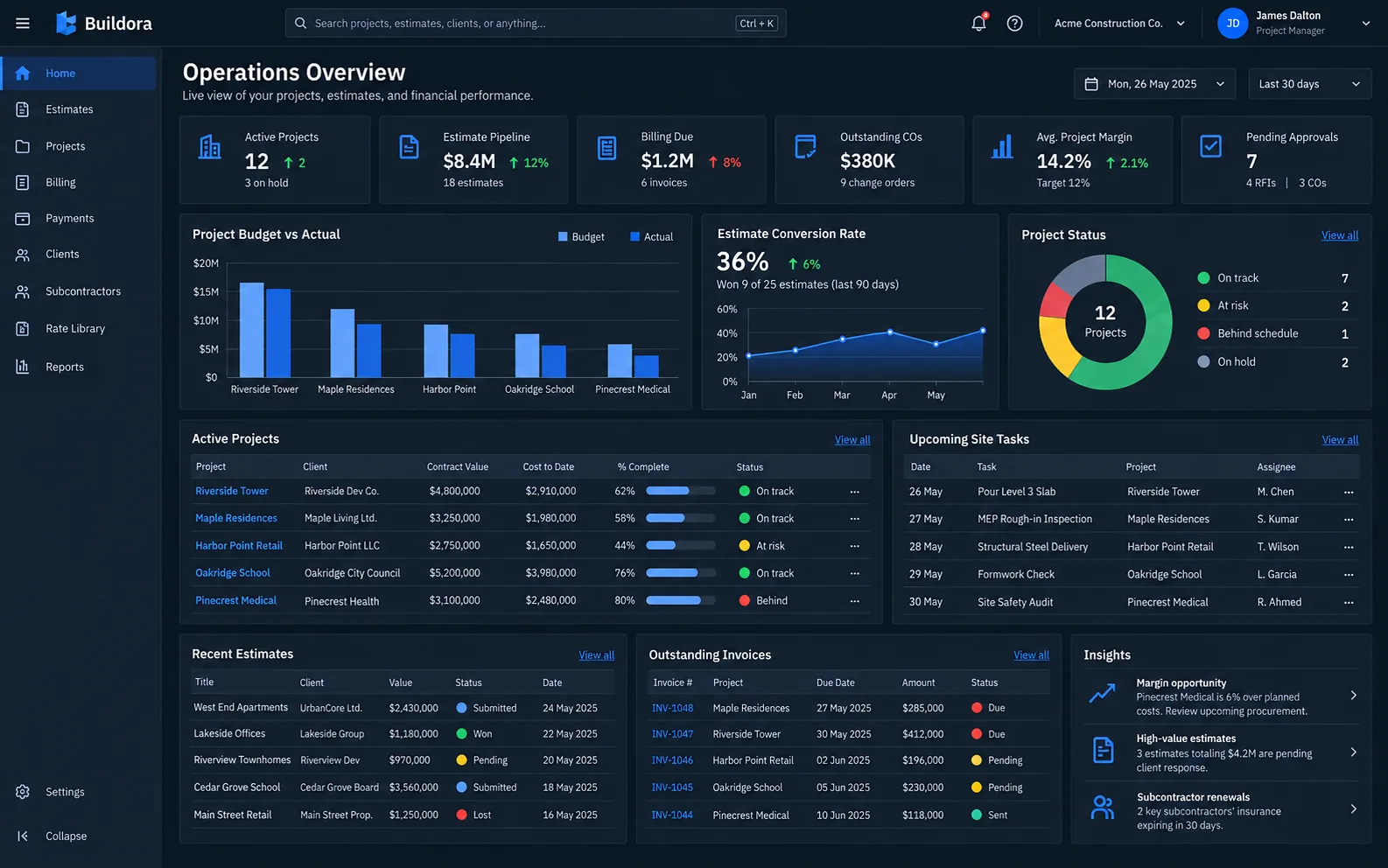
The work underway, in the product.
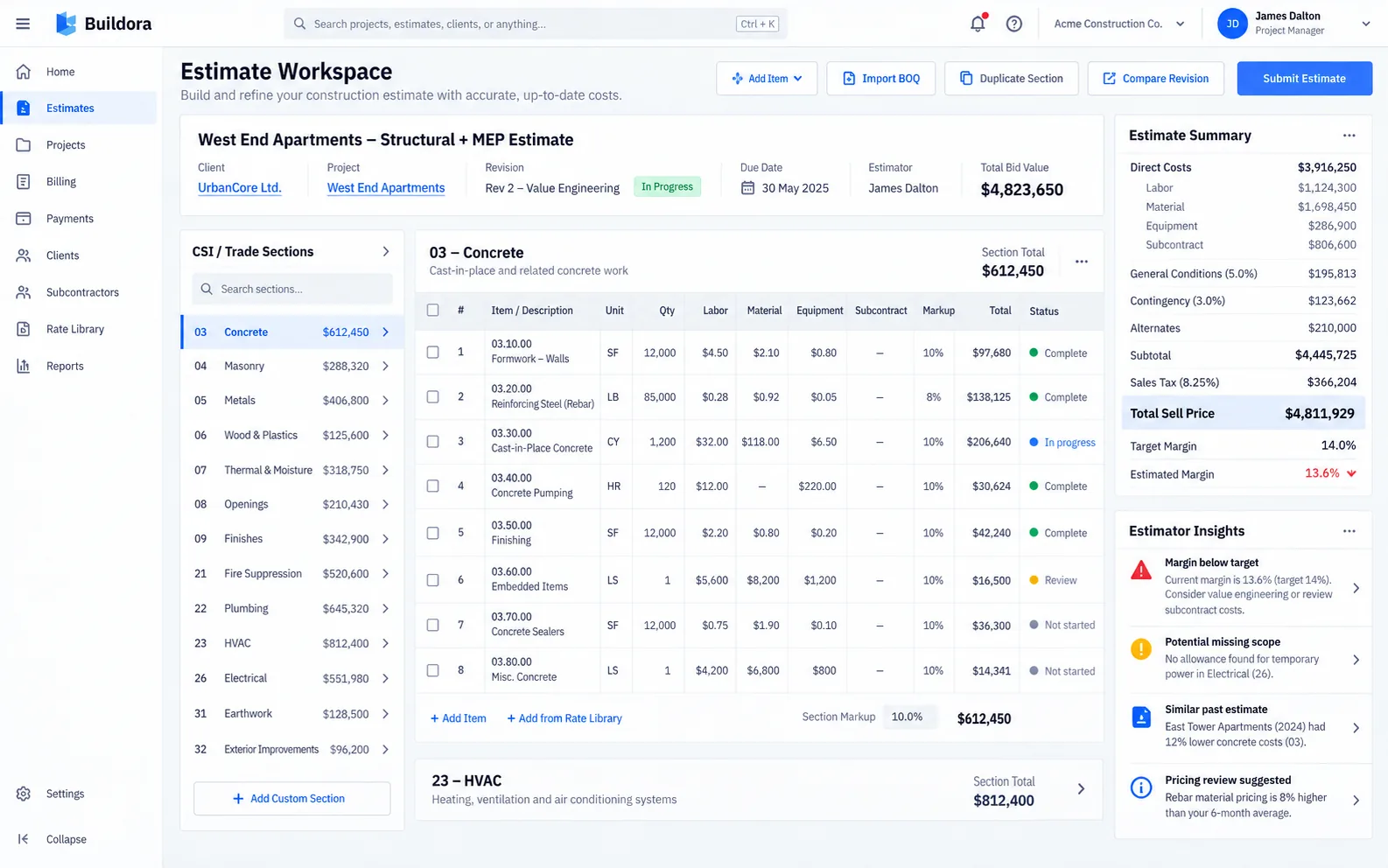
Who is on the job.
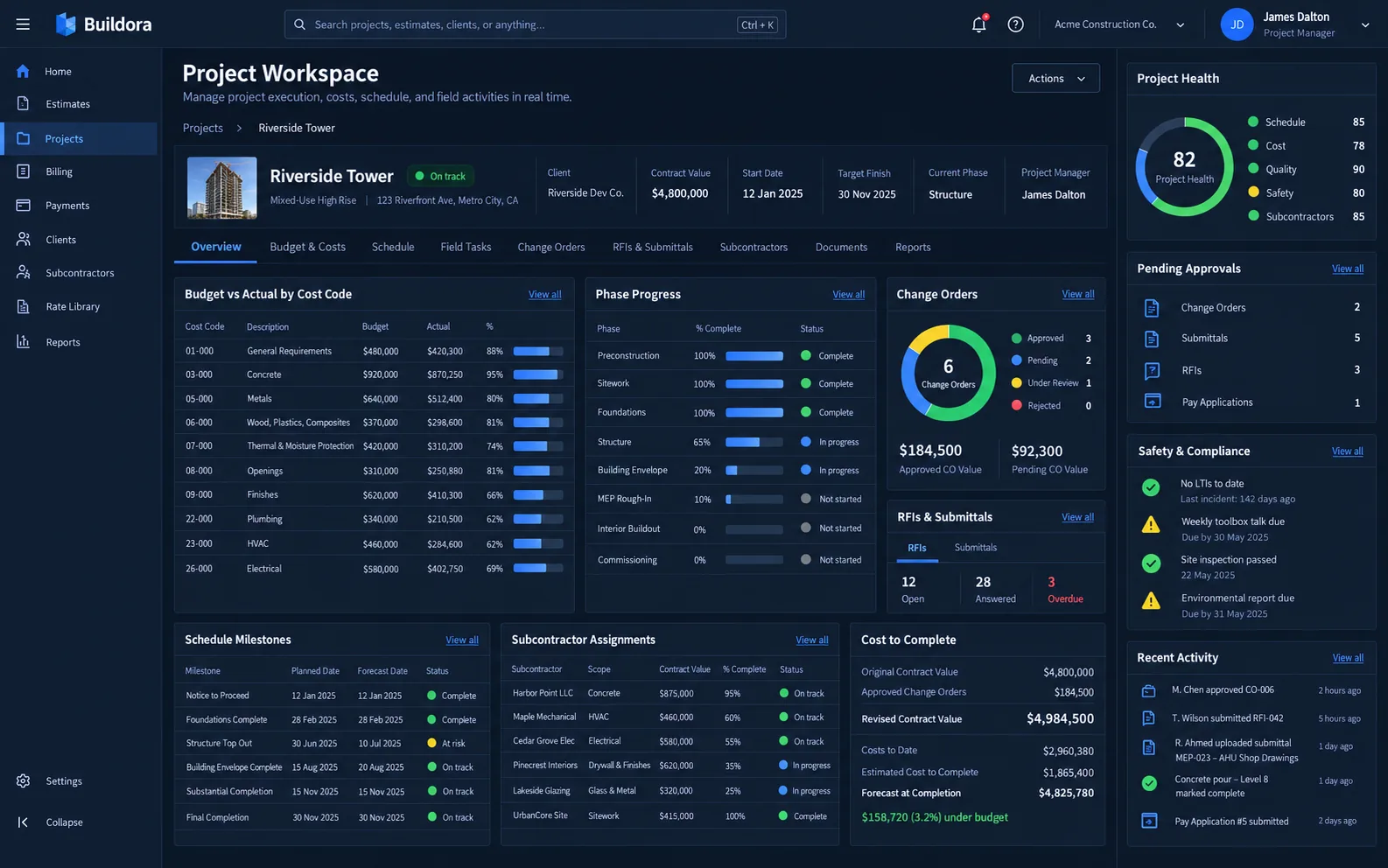
What the site is using.
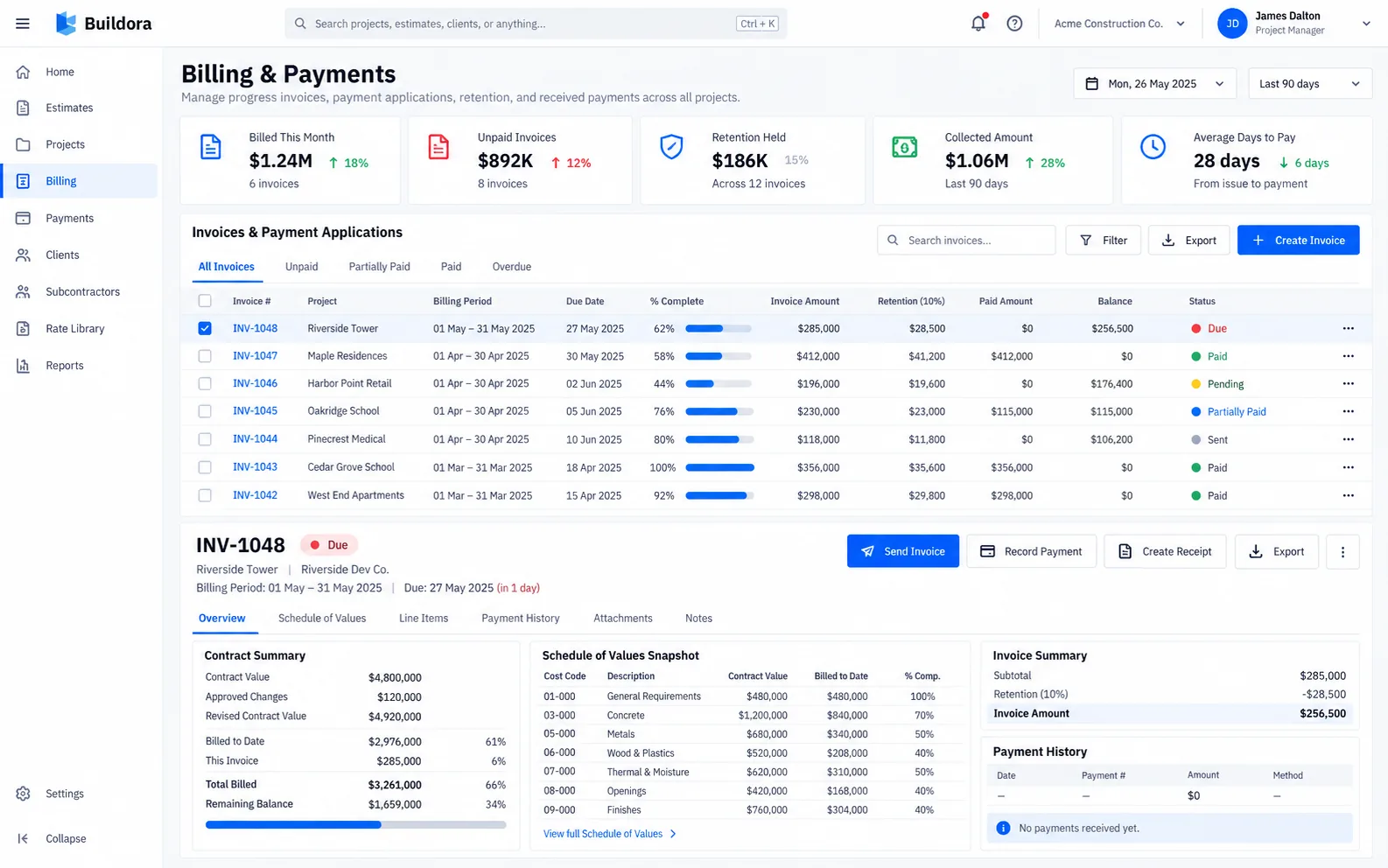
How far the work has moved.
Those four screens are the Buildora record today. The commercial model below is illustrative and uses one sample, North quay fit-out. It is not a live project and it does not draw a profit trend from history we do not have.
Each stage uses the North quay figures. On a phone the stages wrap. Nothing is saved.
A spreadsheet-style bill of quantities. Select a line. Templates, a cost library and an Excel import are part of the intended workspace, not a claim that a file can be imported from this page.
Select a line.
Same sample. Select a figure to see what it includes.
A schedule of values for the sample contract. Previous and current applications, retainage, and what is still to bill. No invoice is sent from this page.
Cost-value reconciliation reads the same sample. Open a line to see the composition.
Sample notices only. They use the North quay figures and a sample threshold of 30%.
Select a notice.
A pilot site, configured around job types, roles and the report the owner already asks for. No setup time is promised on this page.
Quantities, rates and totals, in a grid rather than a new ceremony.
One contractor or several sites. The same record, more of it when the company needs it.
Accounting or ERP connections are scoped when a project needs them. A bulk sheet import is intended, not offered as a button here.
Cost is not shown to every login.
The commercial record is meant to be exportable for the report or the auditor you already use.
Jobs, crews, materials and progress are laid out for a phone as well as a desk.
Roles, an approval record on a change, and an export. This page does not claim a certification, an audit or an uptime figure.
A site lead, a surveyor and a billing clerk do not need the same figures.
A variation can keep who approved it, so the budget change has a history.
Records can leave the workspace for the finance system you already run.
Questions
Jobs, crews, materials and progress, for construction and field teams. The commercial figures on this page are one illustrative sample, North quay fit-out.
Contractors, builders, subcontractors, estimators, quantity surveyors, commercial managers and construction business owners.
The current budget is the original budget plus approved changes. The forecast final cost is the actual cost, plus open commitments, plus the cost still to complete. Margin is the current budget minus that forecast.
No. The schedule of values is illustrative. No invoice is created and no client is billed.
No. They use the same sample. Margin is under a sample 30% threshold, an approved change is not fully billed, a sample invoice is past a sample due date, and retainage is waiting on a completion step. The forecast final cost in this sample stays inside the budget.
Roles limit who sees a cost. A change can keep an approval record. Records are meant to be exportable. This page claims no security certification.
Request a demo
Tell us the company and the commercial question you want to see. We reply by email. No commitment.
We will reply by email. If you do not hear from us, use the contact page.